watchOS 27 Refines Liquid Glass Experience on Apple Watch
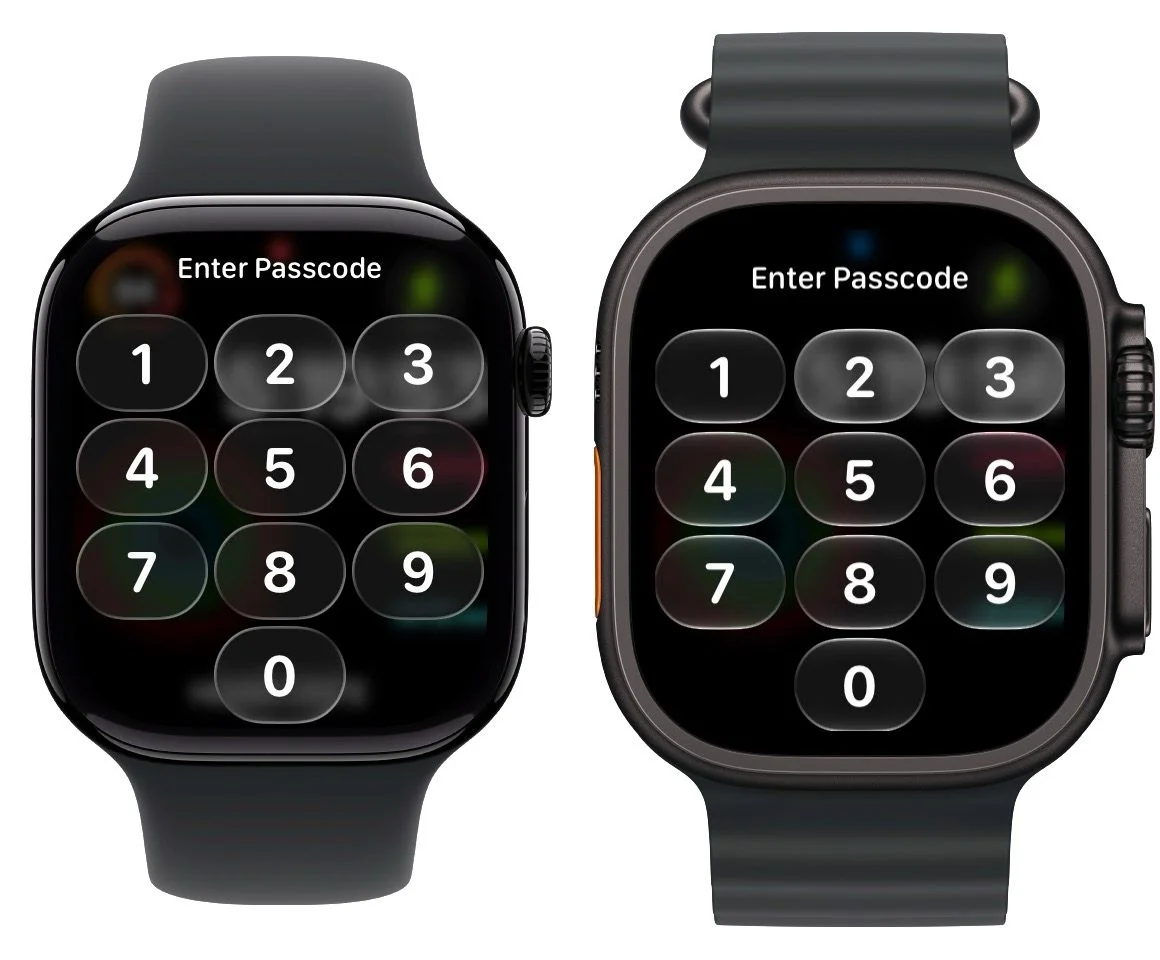
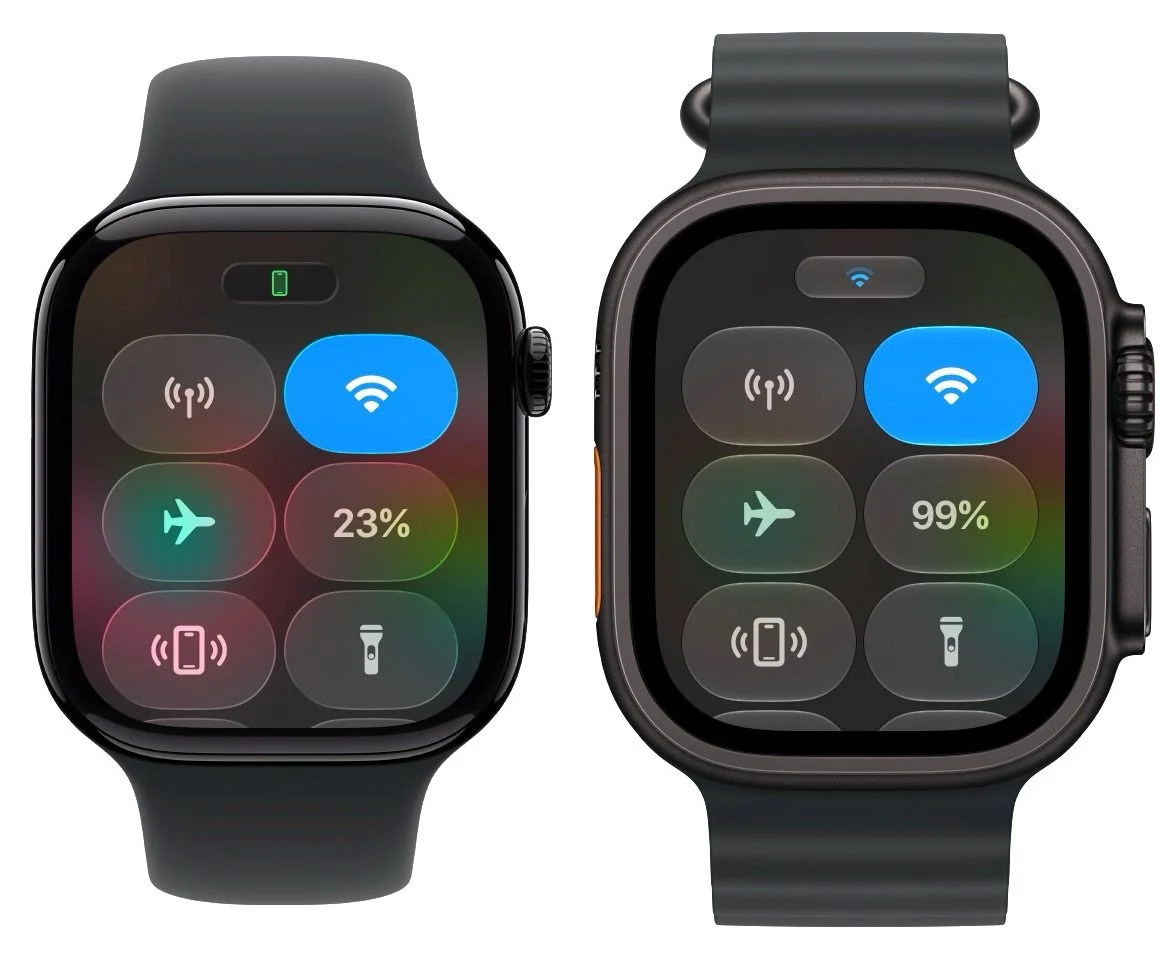
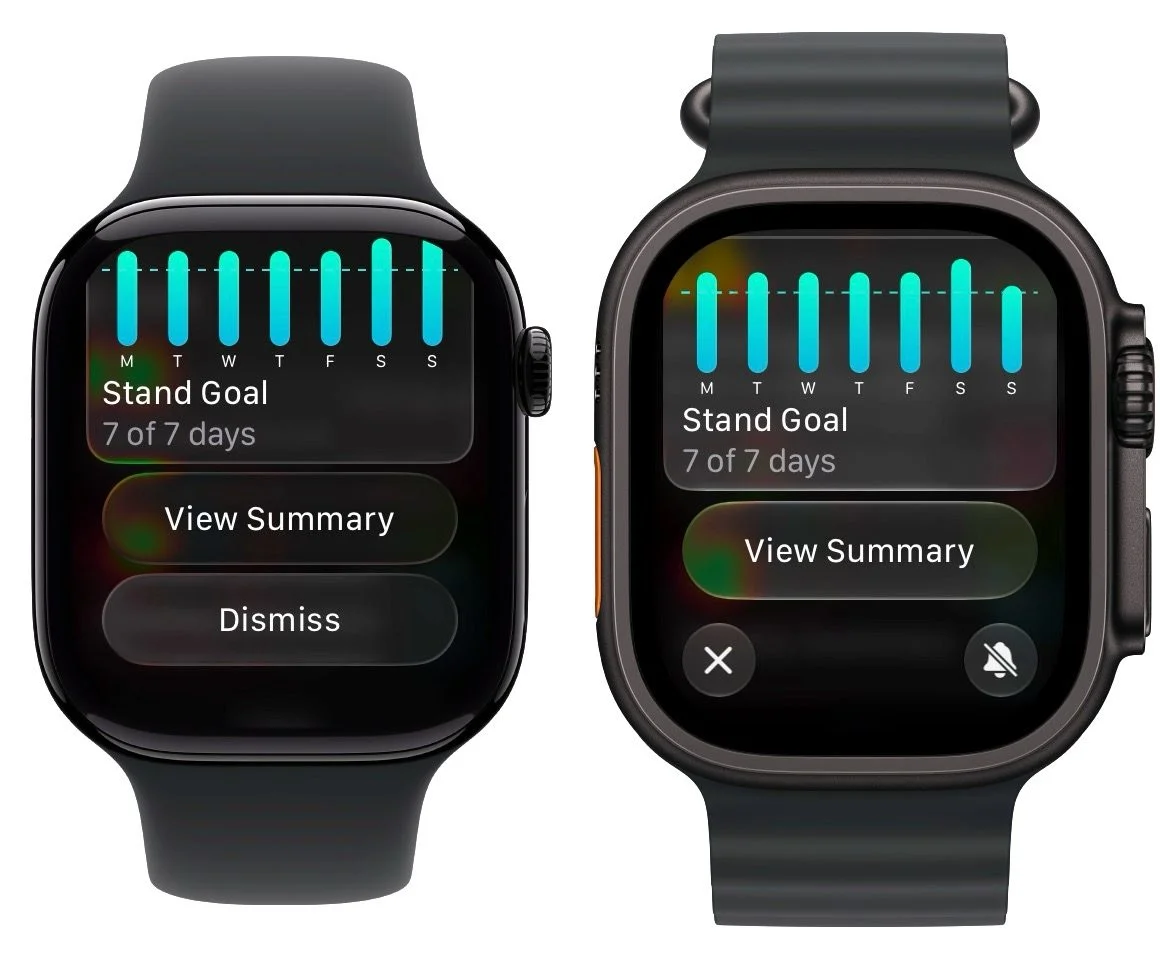
With the introduction of watchOS 27, Apple Watch users won’t get the customization slider for Liquid Glass available on iPhones and iPads. Instead, there’s only a single setting for the Liquid Glass appearance on the Apple Watch. However, subtle design enhancements in watchOS 27 improve the overall visual experience, aiming for an aesthetically pleasing interface that aligns with Apple's design principles.
Understanding Liquid Glass on Apple Devices
Liquid Glass is part of Apple's visual interface framework that incorporates a frosted aesthetic, giving devices a premium, modern look. This design feature has been a point of discussion among users and designers alike, as it blurs the line between functional digital interfaces and artistic visuals. In watchOS 27, the decision to limit customization options might seem like a regression. After all, customization has become a hallmark of many modern tech products. Users want to personalize their devices, and limitations can lead to frustration. However, Apple often opts for a more uniform user experience, creating a cohesive visual identity across its devices.
When comparing Liquid Glass on the Apple Watch with that of the iPhone and iPad, it's clear that Apple prioritizes the visual impact over extensive personalization. This restriction isn't unique to Apple; many companies limit customization to ensure their brand image remains intact, maintaining a polished and streamlined experience across their product lines. Even though watchOS users won’t have the same level of control as iPhone or iPad users, the single Liquid Glass setting might still suffice for many. It simplifies the design process and maintains consistency across devices, even if at the cost of some user agency.
Evolution of Liquid Glass in watchOS
Examining the differences, you can see how Liquid Glass has evolved from watchOS 26 on the Apple Watch Series 11 to watchOS 27 beta 1 on the Apple Watch Ultra 3. This evolution reflects not just a change in style but an underlying philosophy prevalent at Apple—design simplicity and cohesion. While it may seem that the aesthetic updates are purely cosmetic, they signal a broader trend within Apple aimed at harmonizing the user experience across all devices.
What's particularly interesting is how Apple has integrated design updates that mirror those seen in the iPhone lineup. Typically, similar systems accommodate users' varied preferences, but Apple seems to be banking on a more unified experience despite user demands for customization. You can argue that this approach has risks; if users feel their personal preferences are overlooked, it could lead to dissatisfaction and pushback against Apple's otherwise strong ecosystem.
Design Enhancements and User Experience
While the changes in watchOS 27 might not seem drastic, they do align with Apple’s ongoing visual updates across its devices. For some users, this consistency is a positive, reflecting Apple's dedication to a cohesive design philosophy. For others, it raises questions about the balance between aesthetics and functionality. Would users prefer more customization options for their watch's translucency, or is the standard setting satisfactory? This is a topic that invites discussion and analysis.
Subtle enhancements can play a significant role in how users perceive the overall experience. If you've spent any time with Apple products, you’ll likely appreciate the fine details. The smooth transitions, the careful attention to color palettes, and even minor layout adjustments can elevate the user interface, making it more engaging and intuitive. The limitations on customization may seem restrictive, but they also minimize the risk of potential misconfigurations that could detract from that experience.
Market Context and Competitive Landscape
In a competitive market where personalization is increasingly valued, Apple’s decision could be seen as a misstep. Rival companies often provide extensive customization options, catering to a spectrum of user preferences. For instance, Android devices typically offer an array of settings that allow users to tailor their device appearances to their liking, a strategy known to boost user satisfaction. Apple's approach is often more controlled and curated, aiming for a balance between user input and brand identity.
Apple appears to be banking on the quality of its design over the need for personalization. But will that strategy hold up? If consumer preferences continue to tilt toward customization, Apple may find itself needing to rethink its approach. Users appreciate feeling like their devices are unique to them. This sentiment is especially pronounced among younger demographics who prioritize individuality.
Future Implications and Outlook
As watchOS 27 is still in its beta stage, there's room for change before its full release in the fall. Developers and users alike will be eager to see how Apple addresses the need for customization. Early feedback from beta testers often informs changes in future iterations, and user voice can frequently influence a company's final offerings. If you're working in this space, listening to user feedback on design features might prove beneficial in shaping how Apple or any tech company adjusts its interface choices.
As the tech industry evolves, user preferences will mold company strategies—perhaps even forcing tech giants like Apple to adopt flexible design solutions that cater to individual tastes. The balance between uniformity and personalization might be critical for sustaining user loyalty while also appealing to new customers.
What does this mean for you? If you're among Apple’s core users, you may need to temper expectations regarding customization options, at least for the Apple Watch. The design elegance may captivate some, while others might feel it's time for Apple to catch up with market demands for personalization. The upcoming full release of watchOS 27 will be telling, as it could set the tone for future iterations of Apple’s design philosophy—a philosophy that, at its core, may need to evolve to keep its user base engaged and satisfied.
Maximize Your Apple Experience
Apple AirTag 2 | Enhance your tracking capabilities
AirPods 4 ($99, reg. $129) | Discover Apple’s latest wireless audio
AirPods Pro 3 ($169, reg. $249) | Experience superior sound quality