Enhancements in Apple Photos for iOS 27: Fresh Editing Features and Improved Sharing Options
The latest update to Apple Photos in iOS 27 introduces several significant enhancements that cater to both editing and sharing capabilities. While Siri AI takes center stage in this release, the upgrades to the Photos app shouldn't be overlooked, as they promise to reshape how users interact with their photo libraries.
Expanded Editing Features: Extend, Reframe, and Enhanced Clean Up
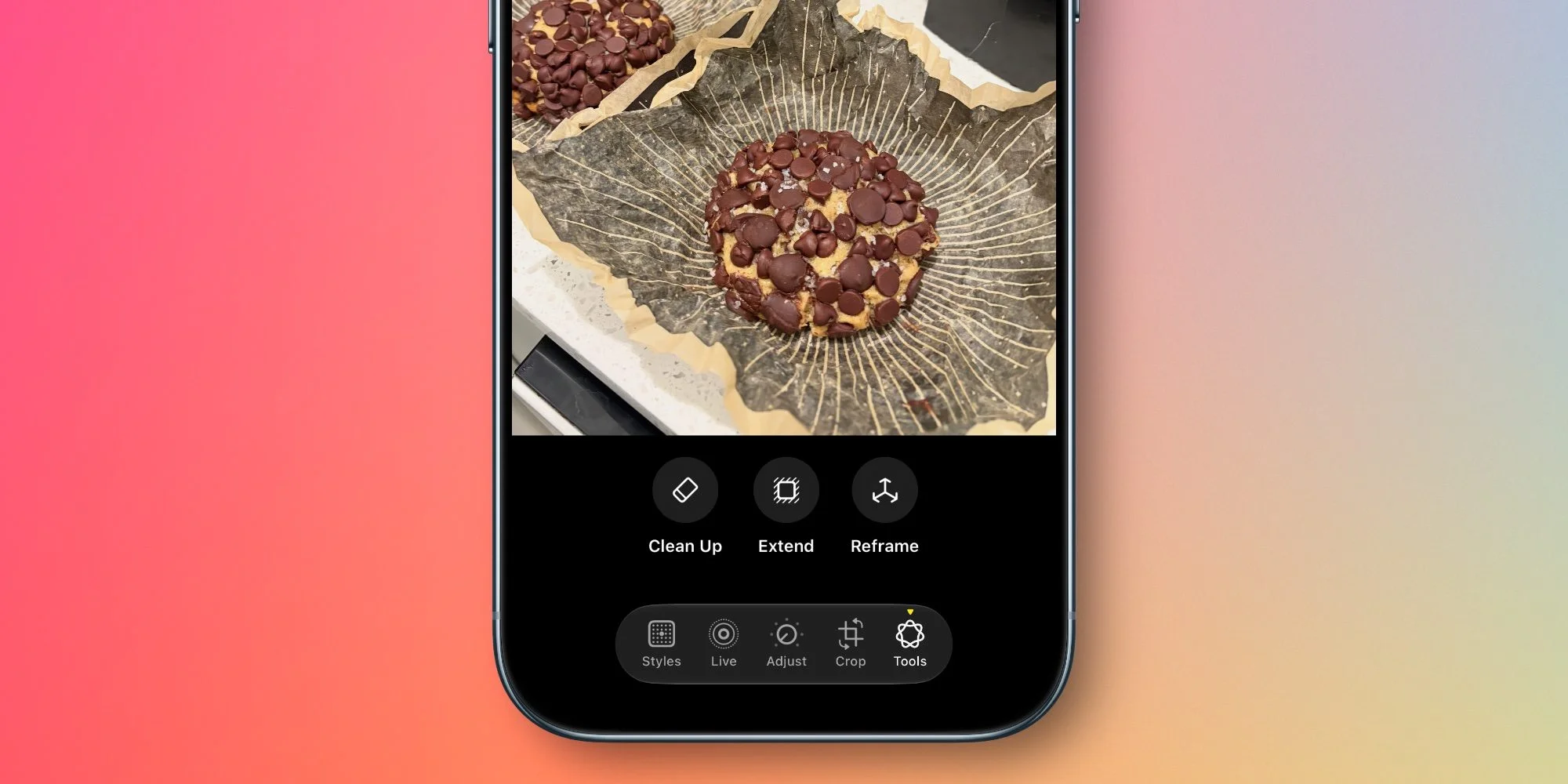
iOS 27 introduces three new editing tools powered by Apple Intelligence: Extend, Reframe, and a critically upgraded Clean Up feature. These specific enhancements give users more creative control over their photography and may appeal to casual users and enthusiasts alike.
Extend allows users to adjust the composition of their photos by adding space around subjects without losing essential details. This isn't merely cosmetic—this tool can salvage a shot that might otherwise be ruined because of an awkwardly cropped frame. It’s particularly useful for correcting common issues like straightening horizons or modifying awkward aspect ratios while filling in the background appropriately, thus improving the overall aesthetic of the image.
With Reframe, users can manipulate the spatial framing of images post-capture. Apple leverages insights from Apple Vision Pro here, offering real-time previews as users make adjustments to the image perspective. This means you won’t just get to see the final crop; you’ll get instant feedback as you shift the frame, potentially saving time and letting creativity flow. This approach contrasts sharply with lesser photo editing tools that lack this level of visual interactivity.
The tool intelligently generates new content only where necessary to maintain consistency with the original image, offering a dynamic way to adjust composition without requiring reshoots.
The Clean Up feature, introduced in iOS 18, has been significantly enhanced in this release. Users can now remove distractions with impressive realism, even in complex scenes—a previously daunting task for many. If you’re trying to eliminate an unwelcome bystander or an unsightly object from a picturesque landscape, this upgraded Clean Up feature might be a breath of fresh air.
Major Upgrades for iCloud Shared Albums

iOS 27 marks the first substantial upgrade to iCloud Shared Albums in years, designed to enhance collaboration as Apple gears up for product launches like the HomePod Touch. Sharper competition in the shared photo space, particularly from platforms like Google Photos, likely drove these updates.
- Ability to share full resolution photos and videos
- Cross-platform sharing with Windows and Android users
- Emoji reactions for shared content
- Simplified image saving process
- Expiration timeline options for albums
- Expanded participant permissions for album management
This financial and technological investment into shared albums effectively widens Apple’s ecosystem reach. Users can finally share through major platforms, not just with fellow Apple users. The ability to react to shared content with emojis might seem trivial, but it taps into a more social experience consumers have come to expect.
New Collections and Better Organization Tools
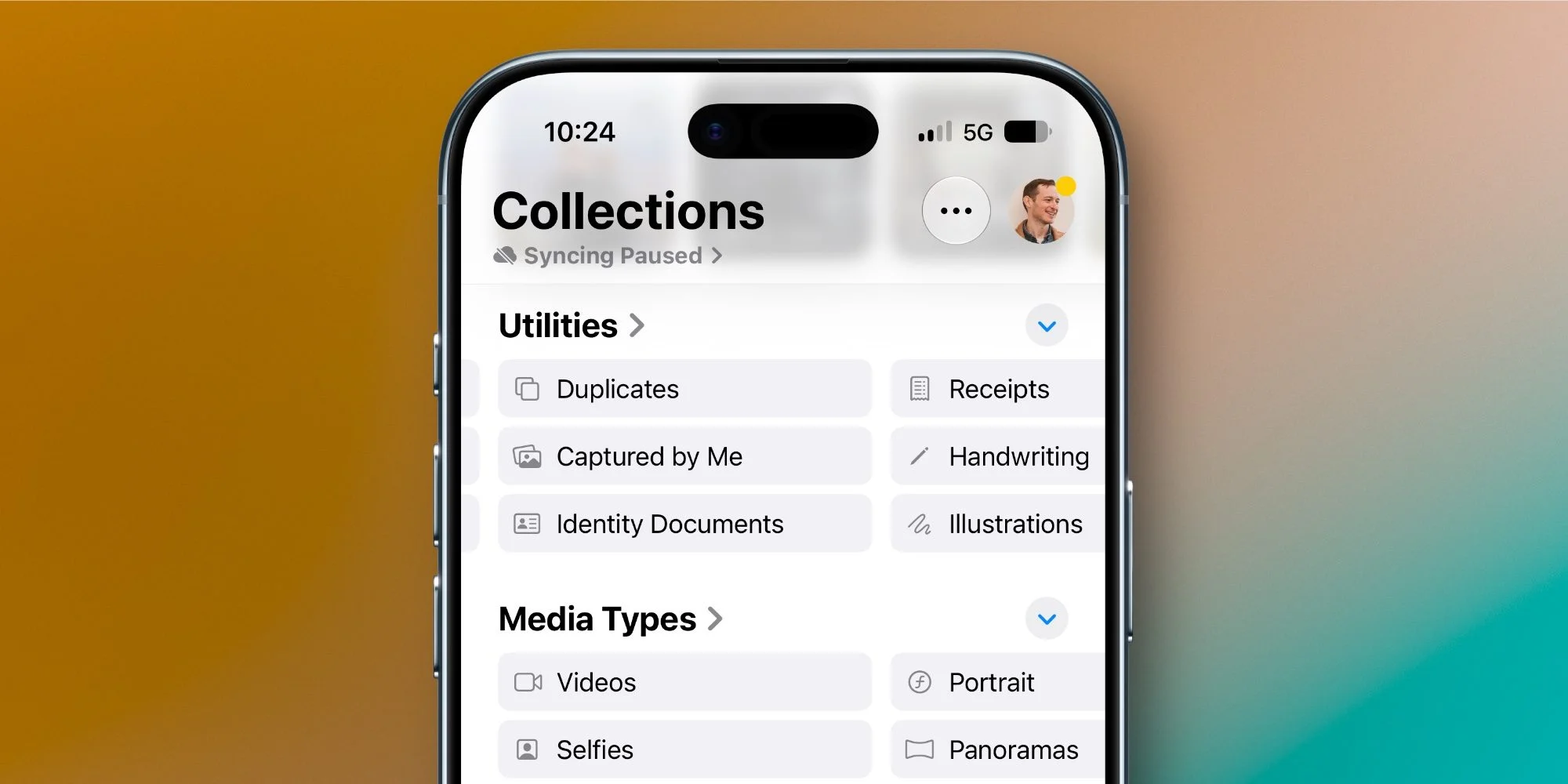
The update also introduces new collections to better organize photos under the Utilities section. The "Captured by Me" collection highlights images solely taken by the user, effectively filtering out non-original content like screenshots. This focus on originality reflects a growing desire for personal and unique content curation in our digital lives.
Another useful feature is the "Identity Documents" collection, which identifies and displays crucial documents, such as passports or driver's licenses, from the user’s library. While this might sound like a simple organizational tweak, it taps into a larger trend where users are increasingly storing important documents digitally.
The update boasts organizational improvements, including the ability to add keywords to photos, significantly enhancing searchability and categorization. Users can still attach captions, but now they have more flexibility with tagging via the 'Add Keywords' option found in the photo details. If you've ever found yourself lost in a sea of digital memories, this could finally make your life easier.
Slideshow Customization Features

In response to user feedback, Apple has revamped the slideshow capabilities within Photos. While auto-generated slideshows have long been part of the app's functionality, the customization options were limited. Now you’ll find a host of new selection choices that could turn a simple slideshow into a polished presentation.
The enhancements allow users to select transition effects, adjust the duration of the overall slideshow and individual photos, and even save created slideshows as videos with a simple tap. Slideshow creation might seem like an afterthought to some, but it's surprising how many people look for more control and artistic options in sharing memories.
Looking Ahead: iOS 27's Impact on Apple Photos
Despite no drastic changes to the Photos app's overall design in iOS 27, the array of new features signifies a turning point for how users manage and edit their images. Each update reflects not just user feedback but also shifting trends in digital media consumption. For Apple, this is more significant than it looks. How successfully these new tools resonate with users will be telling of their future strategy in this area.
If you're working in this space, keep an eye on how users adopt these features over the coming months. The implications go beyond simple editing and sharing—they suggest broader trends in user expectations of photo management software in an increasingly digital-first world.
What are you excited about in the latest iOS 27 update for Apple Photos? Share your thoughts in the comments below.