Airversa Humelle Brings Thread-Based Humidity Control to Apple Home
A humidifier that adjusts itself
Heating season often brings a familiar trade-off: warmer rooms can feel more comfortable, while the air indoors gets dry. A humidifier can help, but a basic model still asks you to check conditions and change its settings by hand. Airversa’s Humelle is designed to take on some of that routine. It connects to Apple Home over Thread and includes a humidity sensor, allowing it to adjust mist output toward a target automatically.
That built-in sensor is the practical hook. Set a preferred humidity level in Apple Home and switch on Auto Mode; the Humelle can then raise or lower its output as the measured conditions change. You don’t need to buy a separate compatible sensor simply to give the humidifier a humidity reading to work from. For many households, keeping one chosen target is the main task, and this arrangement reduces the number of steps between setting that target and letting the device respond.
There’s a useful distinction here: automation can reduce attention, but it doesn’t remove the need to choose settings that suit your home. The Humelle’s appeal is that it can react to its own sensor instead of following only a fixed schedule. That makes its controls more relevant to a room whose conditions shift during the day, though the available details don’t establish how precisely it holds a target or how its performance compares with other humidifiers.
Thread and Apple Home
The Humelle joins a Thread network through a HomePod, HomePod mini, or Apple TV 4K, then communicates with Apple Home locally. Thread is a low-power networking technology used by smart home accessories, and compatible devices can relay communication across a network. In practice, Thread accessories can feel more responsive and remain connected more consistently than Wi-Fi-only devices. They also avoid adding more traffic to a home router’s 2.4 GHz band.
Those benefits depend on the home having the necessary Thread setup. If you already use a compatible Apple device as a Thread Border Router, the Humelle can join that existing network. If you don’t, the humidifier’s smart features require an additional piece of compatible equipment. That’s a meaningful part of the ownership calculation: the device may be straightforward to add for an Apple Home household with Thread already in place, while a new user may need to consider the hub as well.
Once paired, the Home app shows the Humelle as a humidifier, along with readings from its temperature and humidity sensors. That visibility gives you a way to check what the device is measuring, and the readings make Auto Mode useful without requiring a complicated set of routines. You can also use the device’s place in Apple Home as part of a broader smart home setup, though the source details don’t specify which additional automations are supported.
Apple Home handles everyday control, but some setup and maintenance options remain in Airversa’s Sleekpoint app. For example, Sleekpoint can send a reminder when it’s time to rinse the tank. This division reflects the current limits of Matter support: basic controls can appear in a shared smart home platform while manufacturer-specific features stay in the maker’s app. It’s convenient to have the main controls in Apple Home, but you may still need to keep Sleekpoint installed for care reminders and other functions that aren’t exposed there.
Here’s the thing: a shared platform can make routine control simpler, but it doesn’t guarantee that every feature moves into one app. If you’re already comfortable using Apple Home for devices and a manufacturer’s app for maintenance, this split may be minor. If you expect a single app to cover setup, daily operation, and upkeep, the Humelle’s two-app arrangement is a compromise to understand before buying.
Tank, noise and maintenance
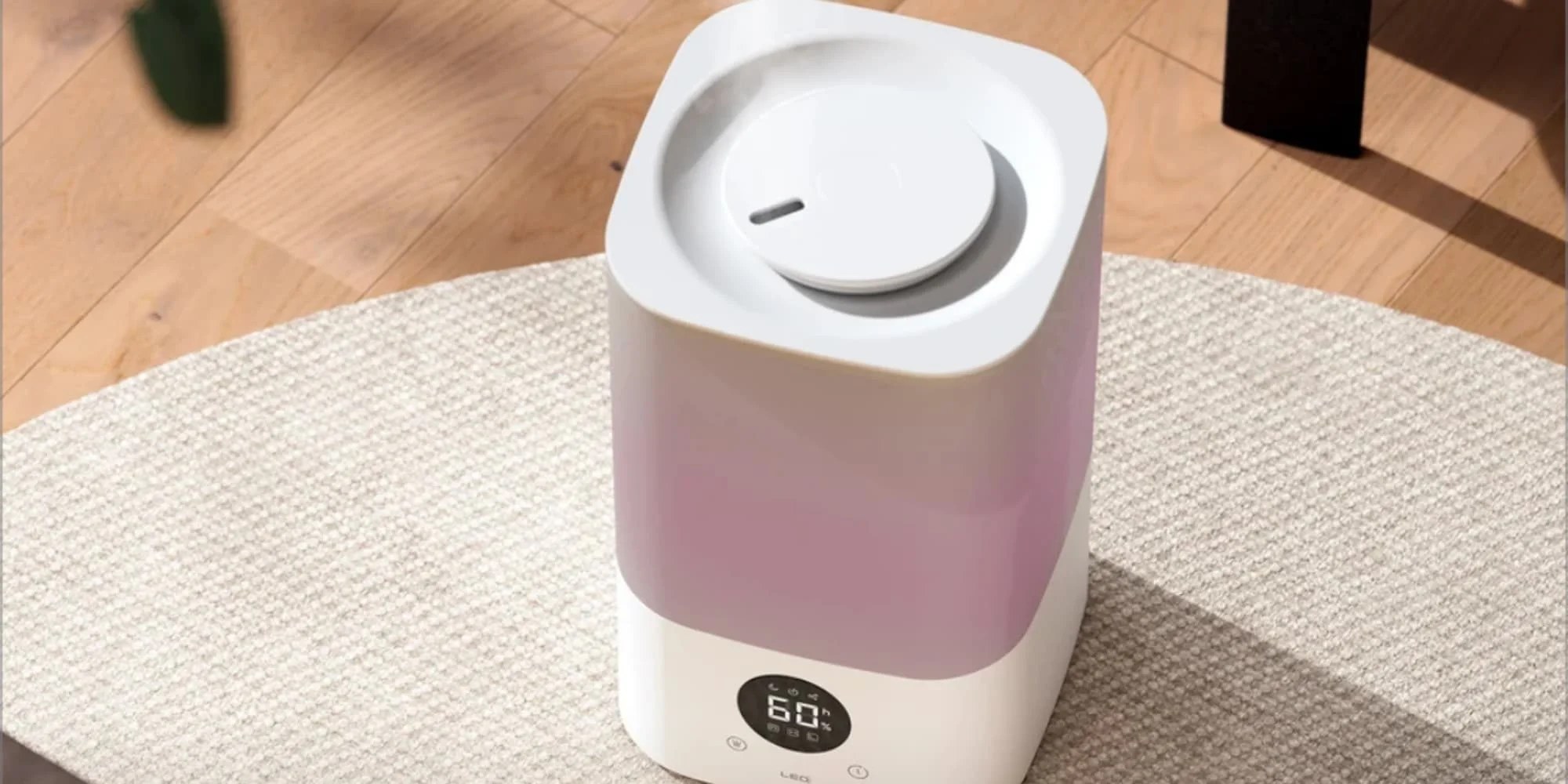
The Humelle has a 3.2-liter tank, rated for up to 60 hours of operation. That rating gives a useful sense of its intended convenience, though actual runtime can depend on how much mist the device produces. Its mist rises about 40 inches, a reach that should suit a bedroom or an average-sized living room. The top-fill design also makes refilling less awkward than models that need to be turned upside down, since you can add water from above rather than lifting and flipping the tank.
Capacity and fill design matter because humidifiers need regular attention. A larger tank can mean fewer refills, while a top-fill opening can make those refills easier to manage. Neither feature removes cleaning from the routine, and Airversa’s rinse reminder acknowledges that upkeep is part of ownership. The reminder is a modest feature, but one that connects the smart controls to the less glamorous work of keeping a water-based appliance in service.
Sleep Mode is rated at 28 dB, making it quiet enough for overnight use according to the product’s stated figure. That should make the mode relevant in a bedroom, where persistent appliance noise can become more noticeable once other sounds fade. A multicolor light at the base can be adjusted through Apple Home or Sleekpoint, or switched off. There’s also a tray for essential oils, if you want to add fragrance while humidifying.
These extras broaden the ways the Humelle can fit into a room, but they don’t change its central job. The light is optional, the oils are an added preference, and Sleep Mode addresses noise during rest. For a buyer comparing humidifiers, the more consequential questions are likely to be whether the tank size and automatic humidity control fit the room and whether the Thread requirements match the smart home setup already in place.
Automated humidity through winter
The Humelle’s appeal comes down to a focused combination: Thread connectivity, local Apple Home control, and humidity sensing in one device. When heating dries out a room, Auto Mode can respond to measured conditions instead of relying on a manual schedule. The sensor can also serve as a starting point for other winter automations, since Apple Home can display the temperature and humidity readings alongside the humidifier itself. This is more significant than it looks: the value isn’t just remote control, but having a device that can act on the conditions it measures.
That said, the available product details describe the features and ratings, not independent results from a particular home. Room size, placement, refill habits, and existing Thread coverage all shape the experience of a humidifier. The Humelle’s automatic mode may reduce the need for frequent adjustments, but you’ll still need to maintain the tank and decide what humidity target makes sense for your space. A smart feature works best when it takes a repetitive task off your hands without obscuring what the appliance is doing.
For Apple Home users, the strongest case is straightforward: one device can measure humidity and adjust its output, while Thread provides the connection to the home platform. The limitations are equally practical. You need a Thread Border Router, and some maintenance options live in Sleekpoint rather than Apple Home. And this is the part most people overlook: the quality of the automation depends not only on the humidifier, but also on having the right network equipment and a workable place for the device.
Homes without a Thread Border Router will need one to connect the humidifier; Apple’s HomePod mini 2 is one option. If you’re working in this space, what this means for you is that the Humelle makes the most sense as part of an Apple Home setup that already includes compatible Thread hardware, or where adding it is acceptable. For other households, its automatic humidity control may be appealing, but the network requirement adds another step before that convenience is available.
The Airversa Humelle is available on Amazon and directly from Airversa.